
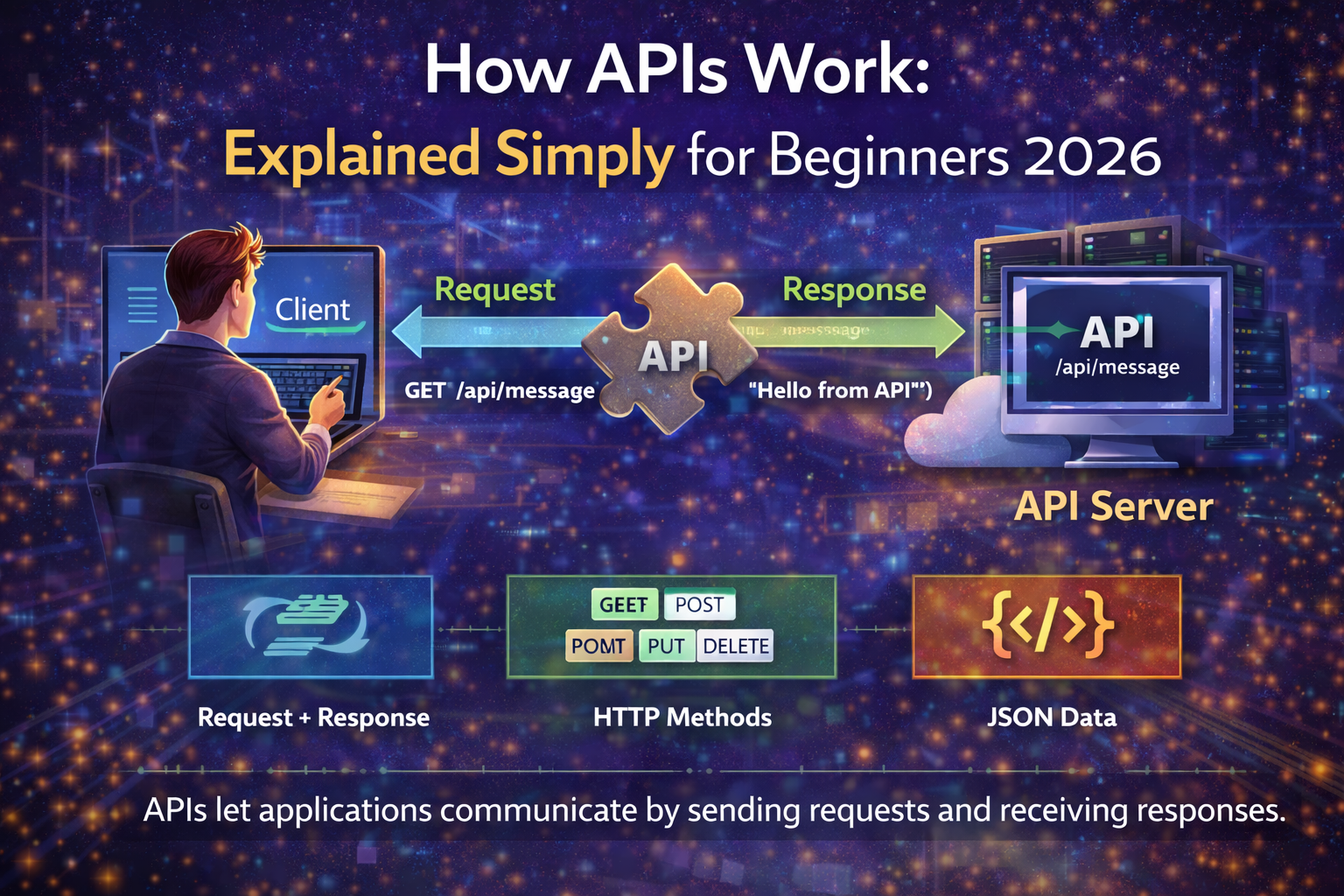
APIs power almost every modern application. Whenever you book a cab, log in with Google, or check the weather, How APIs work behind the scenes. However, beginners often find APIs confusing because explanations feel too abstract.
This guide on How APIs Work: Explained Simply for Beginners 2026 breaks everything into practical steps. You will not only see code, but also understand why each part exists. Additionally, this tutorial uses simple examples so you can connect concepts to real applications.
Prerequisites
Before starting, you do not need advanced programming skills. However, basic awareness helps learning faster.
Make sure you understand:
- Basic JavaScript syntax
- What HTTP requests are at a high level
- How to run Node.js on your system
These basics allow you to focus on how APIs communicate rather than setup problems.
What Is an API in Simple Terms?
An API is a messenger between two systems. One system requests data. Another system responds with data. Consequently, they work together without knowing internal details.
Think of an API like a restaurant waiter. You place an order. The kitchen prepares food. The waiter delivers it back. Similarly, APIs deliver data between applications.
APIs exist because systems should stay independent. Therefore, apps scale, update, and integrate safely.
How APIs Work: Explained Simply for Beginners 2026
APIs follow a request and response cycle. The client sends a request. The server processes it. Then the server sends a response.
Each request includes a method, URL, and sometimes data. Additionally, responses include status codes and structured data. Consequently, both sides understand success or failure clearly.
This structure keeps communication predictable and secure.
Step 1: Create a Simple API Server
We start with a minimal Node.js API. This keeps the focus on fundamentals.
const express = require("express");
const app = express();

app.use(express.json());
We use express() because it simplifies HTTP handling. Instead of writing low level server code, Express manages routing cleanly. Additionally, express.json() parses incoming JSON automatically. This prevents manual parsing errors later.
Step 2: Define an API Endpoint
Now we create an endpoint that returns data.
app.get("/api/message", (req, res) => {
  res.status(200).json({ message: "Hello from API" });
});
We use app.get because GET requests fetch data without modifying it. This aligns with REST principles. Additionally, res.status(200) clearly signals success. Using .json() ensures consistent response formatting.
Consistency matters because clients depend on predictable structures.
Step 3: Start the Server
app.listen(3000, () => {
  console.log("API running on port 3000");
});
The listen function starts the event loop. Node.js uses it to handle multiple requests concurrently. Consequently, the API scales efficiently even with many users.
Step 4: Call the API From a Client
Now we consume the API using JavaScript.
fetch("http://localhost:3000/api/message")
  .then(response => response.json())
  .then(data => console.log(data));
We use fetch because it represents how browsers communicate with APIs. Additionally, .json() converts raw response data into usable objects. This separation keeps network logic clean and readable.
Promises handle async behavior. Consequently, the UI does not freeze while waiting.
Step 5: Understand Status Codes and Errors
APIs must communicate success and failure clearly. Therefore, status codes matter.
app.get("/api/error", (req, res) => {
  res.status(500).json({ error: "Something went wrong" });
});
We use status code 500 to indicate server errors. This helps clients react properly. For example, apps can retry or show messages. Clear signaling prevents silent failures.
Common API Components You Should Know
Modern APIs share common building blocks:
- HTTP methods like GET, POST, PUT
- JSON for structured data exchange
- Status codes for communication clarity
These components exist to standardize communication. Consequently, developers across platforms understand APIs quickly.
Why APIs Are Designed This Way
APIs favor simplicity and separation. Servers focus on data and logic. Clients focus on presentation. Therefore, both evolve independently.
Stateless design also matters. Each request contains everything needed. Consequently, servers scale horizontally without storing client sessions.
This design explains why APIs dominate modern software architecture.
Next Steps After Learning Basics
Once fundamentals feel clear, move forward gradually:
- Add POST requests to send data
- Learn authentication using API tokens
- Explore REST versus GraphQL APIs
Each step builds confidence without overwhelming complexity.
APIs may feel complex at first. However, they follow simple rules. Requests go in. Responses come out. Everything else builds on this idea.
By understanding How APIs Work: Explained Simply for Beginners 2026, you gain a foundation for web and mobile development. Additionally, knowing why functions exist helps you design better systems. Consequently, APIs become tools, not obstacles.
Frequently Asked Questions
What is the simplest way to understand APIs?
Think of APIs as messengers that carry data between applications using agreed rules.
Do APIs always use JSON?
Most modern APIs use JSON. However, some still use XML or other formats.
Are APIs only for web development?
No. APIs also power mobile apps, desktop software, and system integrations.
Other Articles

How Does Media Work in India in 2026 Across News and Digital?
Is Online Learning Worth It? Pros, Cons and Future Outlook 2026